Work order management
Plan, assign, track and close work orders with the asset, its history and supporting engineering information in view.
 Home
HomeMaintenance Management
Work orders, inspections and permits, connected to equipment and drawings. Run focused workflows in HyBird, or connect them to SAP and your existing maintenance system.
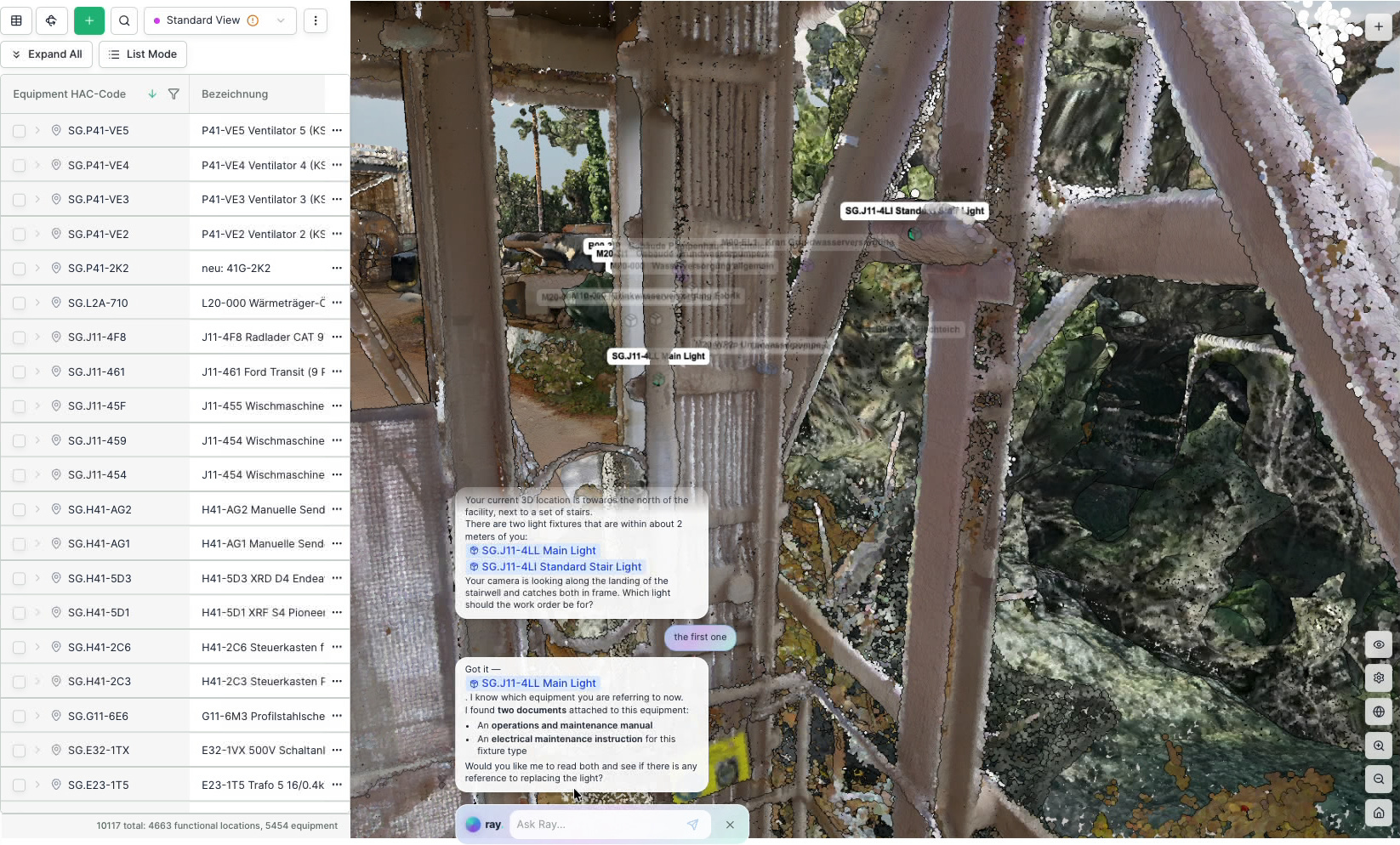
Understand the location, inspect the surrounding equipment and bring the relevant P&ID or manual into view before defining the work.
Keep the observation, inspection result and work history connected to the same asset. Planners and field teams share the context.
The Spatial Intelligence behind itCapture an issue in the field. Define the work, carry out the inspection and preserve the evidence for the next team.
Use Maintenance Management or connect the enterprise maintenance system already running your organisation.
Record an observation at the asset, with its location and field evidence.
Bring work requests, work orders, drawings and asset information together.
Take instructions and digital checklists into the field on iOS or Android.
Keep readings, completion evidence and maintenance history with the asset.
Complete maintenance management
Plan, assign, track and close work orders with the asset, its history and supporting engineering information in view.
Organise planned maintenance, recurring tasks and inspections around the equipment that needs them.
Manage notifications and observations alongside the assets, work orders and field evidence they relate to.
Manage work permits and isolation records in the same workspace as the job and its supporting information.
Connect lockout/tagout records and key boxes to the permits, isolations and work they support.
Use digital checklists in the field and generate PDF permits for printing from your configured templates.
Permit PDF generator
Build your permit layout with the fields, checks and sections your site needs. Generate a PDF for printing from the same permit record.
Keep permits connected to isolations, LOTO, key boxes and supporting checklists, whether the team uses the screen or a printed copy.
Forms & Workflows
Configure record fields, document details and status flows around your organisation. Add evidence, technical review and approval where the process needs them.
Process area · Transfer system
Your fields. Your approvals. One record of the work.
Extend the systems you already trust
 Partner
 Connected workflows
 Marketplace
Extend SAP-supported operations into the physical plant. Find equipment in the plant, open its drawings and connect field observations to the work order. Use HyBird on its own where needed, or integrate with the systems you already run.
Explore integrationsTell us about your maintenance workflows and existing systems. We’ll show you how HyBird fits your operation.
Talk to HyBird